A healthcare startup in San Francisco built a telemedicine platform. Video worked. Chat worked. But when a nurse updated a patient’s status on her screen, the doctor on the other end did not see the change for 45 seconds.
Forty-five seconds does not sound long. In a clinical handoff, it is an eternity.
The team had built a beautiful app. They had not built a real-time app.
Real-time app development is fundamentally different from standard application development. Every architectural decision, from the choice of transport protocol to the infrastructure design, has to be made with latency and synchronization in mind from the very first sprint. This guide breaks down what that means for your tech choices, your timeline, your budget, and your team.
What Is a Real-Time App and How Is It Different From a Regular App?
Most apps work on a request-response model. A user does something, the app asks a server for data, the server responds, and the screen updates. This works well for most use cases.
What is a real-time app, then? A real-time application is one where data updates appear on screen as they happen, without the user refreshing or triggering a new request. The server pushes changes to connected clients the moment they occur.
This is not a cosmetic difference. A real-time application requires a persistent connection between client and server, usually via WebSockets, so data can flow in both directions at any moment. That connection changes how you architect the backend, how you scale infrastructure, and how you handle failures.
What Use Cases Actually Need a Real-Time App?
Not every app needs real-time functionality, and adding it unnecessarily increases cost and complexity. These are the categories where a real-time app is genuinely required.
Live collaboration tools like document editors and shared project boards need every participant to see every change as it happens, not on the next page refresh.
Chat and messaging platforms depend on instant delivery. A message that arrives 30 seconds late is not a messaging app.
Trading and financial dashboards require price updates and portfolio values to reflect the market in milliseconds, not minutes.
On-demand and delivery apps need live driver positions to update continuously so customers and dispatchers always have an accurate picture.
Healthcare monitoring platforms display patient vitals and alerts that clinical staff need to act on immediately.
Live sports, gaming, and event apps require scores and game state to sync across every connected user at the same moment.
How is real-time web application development different from standard web development?
Building real-time web application development requires rethinking the communication layer from the ground up.
Standard web apps use HTTP, a stateless protocol where each request opens a new connection and closes it after the response. Real-time web apps cannot rely on this because opening a new connection for every update introduces too much latency.
The most widely used alternative is WebSockets, which keeps a connection open for the entire session so the server can push data to the browser the instant something changes. Real-time web apps also use Server-Sent Events for one-directional streams, or long-polling as a fallback for environments where WebSockets are blocked. Each approach has trade-offs in complexity, scalability, and browser compatibility (source).
What Does a Real-Time Mobile App Require That a Web App Does Not?
A real-time mobile app introduces constraints that do not exist in the browser.
Background connectivity is the first challenge. Mobile operating systems aggressively kill background processes to save battery. Apps that need updates while not in the foreground must use push notifications via APNs or Firebase Cloud Messaging rather than a persistent WebSocket alone.
Network instability is the second. Mobile users move between Wi-Fi and cellular constantly, and connections drop without warning. A robust app must handle reconnection gracefully, queue unsent data locally, and reconcile state when the connection is restored without losing or duplicating events.
Battery consumption is the third. Persistent connections and frequent syncing drain battery faster than standard apps. Optimizing update frequency and batching non-urgent updates are engineering decisions with direct user experience consequences.
What Technologies Power the Best Real-Time Development Platforms in 2026?
Choosing the right real-time development platform is one of the highest-leverage decisions in a real-time project. The wrong stack becomes expensive to maintain and painful to scale.
Backend and Protocol Options
| Technology | Best For |
| WebSockets (native) | Full-duplex apps needing maximum control |
| Socket.IO | Node.js apps with built-in fallback handling |
| Firebase Realtime Database | Rapid prototyping and consumer apps |
| Supabase Realtime | PostgreSQL-backed real-time on an open-source stack |
| Ably / Pusher | Managed pub/sub at scale without infrastructure overhead |
| GraphQL Subscriptions | : Real-time layers on existing GraphQL APIs |
Supporting Infrastructure
- Backend runtime: Node.js or Go for high-concurrency, low-latency performance
- Message broker: Redis Pub/Sub or Apache Kafka for distributing events across server instances
- Hosting: AWS, Google Cloud, or Azure, all supporting WebSocket-compatible load balancers
- CDN and edge: Cloudflare or Fastly to reduce latency for distributed users
How Much Does Real-Time App Development Cost in 2026?
Real-time infrastructure adds cost at every layer compared to a standard app. The event system, connection management, state reconciliation, and scalable hosting all require dedicated engineering work.
Cost Ranges by App Type
| App Type | Estimated Cost (USD) |
| Basic Chat or Notification Feature | $15,000 to $30,000 |
| Live Collaboration Tool (MVP) | $40,000 to $80,000 |
| Real-Time Dashboard or Monitoring App | $50,000 to $100,000 |
| Full-Scale On-Demand or Trading Platform | $100,000 to $250,000+ |
| Enterprise Real-Time Platform with Custom Infra | $200,000 to $500,000+ |
The backend accounts for a disproportionate share, often 50 to 60 percent of total cost, because the event system, connection pooling, and horizontal scaling architecture require more precision than the client-side interface.
Timeline for a mid-range real-time app: 24 to 42 weeks. Load testing alone adds four to six weeks that standard apps never require.
What Does Real-Time Application Monitoring Look Like After Launch?
Shipping is not the finish line for real-time systems. Real-time application monitoring is more demanding than for standard apps because a broken connection or lagging event pipeline is invisible to users until it is too late.
Production monitoring for a real-time system should track WebSocket connection health, event latency from server to client, message queue depth under load, error rates by event type, and infrastructure utilization on servers handling persistent connections.
Tools like Datadog, Grafana, and New Relic all support real-time system observability. The key is alerting on latency thresholds, not just server uptime, because a system can be running and still be too slow to be useful.
What Are the Best Practices for Real-Time App Development in 2026?
Getting real-time apps right requires discipline at every layer. These are the practices that separate production-grade systems from prototypes that fall apart under real usage.
Design for disconnection from day one. Assume the connection will drop. Build reconnection logic, local state queuing, and server-side reconciliation before you ship.
Use a message broker for scale. A single server cannot handle thousands of WebSocket connections indefinitely. Redis Pub/Sub or Kafka allows you to distribute connections across multiple instances without losing events.
Separate real-time events from REST APIs. Real-time channels should handle presence, live updates, and event streams. HTTP should handle data fetching, authentication, and non-time-sensitive operations.
Test under concurrent load before launch. Tools like k6 and Artillery simulate thousands of simultaneous WebSocket connections so you know where the system breaks before users find it.
Monitor latency, not just uptime. A server delivering updates four seconds late is failing its users. Set latency SLAs and alert on them from day one.
Why Do Teams Choose Codeflicks for Real-Time App Projects?
Real-time systems punish shortcuts. A WebSocket architecture not designed for scale, a message queue not stress tested, or a reconnection strategy not built into the client from the start all create problems that are expensive to fix after launch.
Codeflicks was founded by engineers who have built production real-time systems across healthcare, fintech, logistics, and on-demand platforms. The team treats infrastructure design as part of the product, not a DevOps afterthought. With 150+ completed projects, the team has navigated the full range of real-time challenges, from single-feature chat integrations to enterprise-scale event-driven platforms.
Every real-time project begins with a connection architecture review: concurrent user expectations, acceptable latency, failure behavior, and the monitoring strategy from day one. See how this approach applies across products on the Codeflicks services page.
If you have a real-time feature that is lagging or failing under load, the team diagnoses the architecture before recommending any fix. Learn more about how Codeflicks handles technical project rescue.
You get dedicated backend engineers, client-side developers, QA specialists, and a project manager working as one team, with honest timelines and a system built to perform under real-world pressure.
Get a free real-time architecture review within 48 hours. Talk to Codeflicks Today.
Frequently Asked Questions
What is the difference between a real-time app and a standard app?
A standard app fetches data when a user requests it. A real-time app receives data pushed from the server the moment it changes, without the user taking any action. This requires a persistent connection and a fundamentally different backend architecture.
Is WebSocket the only way to build a real-time app?
No. Server-Sent Events work well for one-directional streams like notifications. Long-polling is a simpler fallback where WebSockets are blocked. The right choice depends on your use case and the environments your users connect from.
How do I handle updates when a user goes offline?
Queue updates locally on the client, reconnect automatically when the connection is restored, and reconcile state server-side to avoid duplicates or missed events. Build this logic into the architecture from the start.
How much does real-time infrastructure add to the cost?
Expect the real-time layer to add 30 to 50 percent to the cost of an otherwise comparable standard app, mostly from backend event system work and scalable infrastructure.
Can Codeflicks add real-time features to an existing app?
Yes. The team assesses the existing architecture, identifies the least disruptive integration path, and implements the real-time layer without a full rebuild unless the codebase cannot support it.
Ready to build your own delivery app? Contact Codeflicks for a free scoped estimate within 48 hours.
You can also explore our on-demand app development services,
read our full guide to mobile app development costs, or see how we’ve helped restaurant brands go direct.
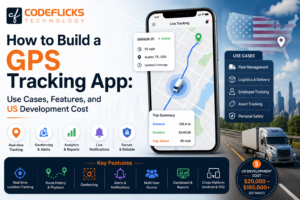
read our full guide on how we build GPS tracking app to ease businesses.